SiteRelay is a free plugin in the WordPress.org plugin directory. You install it from the Plugins screen, and new versions arrive there like any other plugin's.
You need: WordPress 6.2 or later, PHP 7.4 or later, and an administrator account.
Install it
- In WordPress, go to Plugins → Add New.
- Search for SiteRelay, click Install Now, then Activate. On a multisite network, install it in Network Admin and click Network Activate.
- Open SiteRelay:
- On a single site: Tools → SiteRelay.
- On a network: Network Admin → SiteRelay.
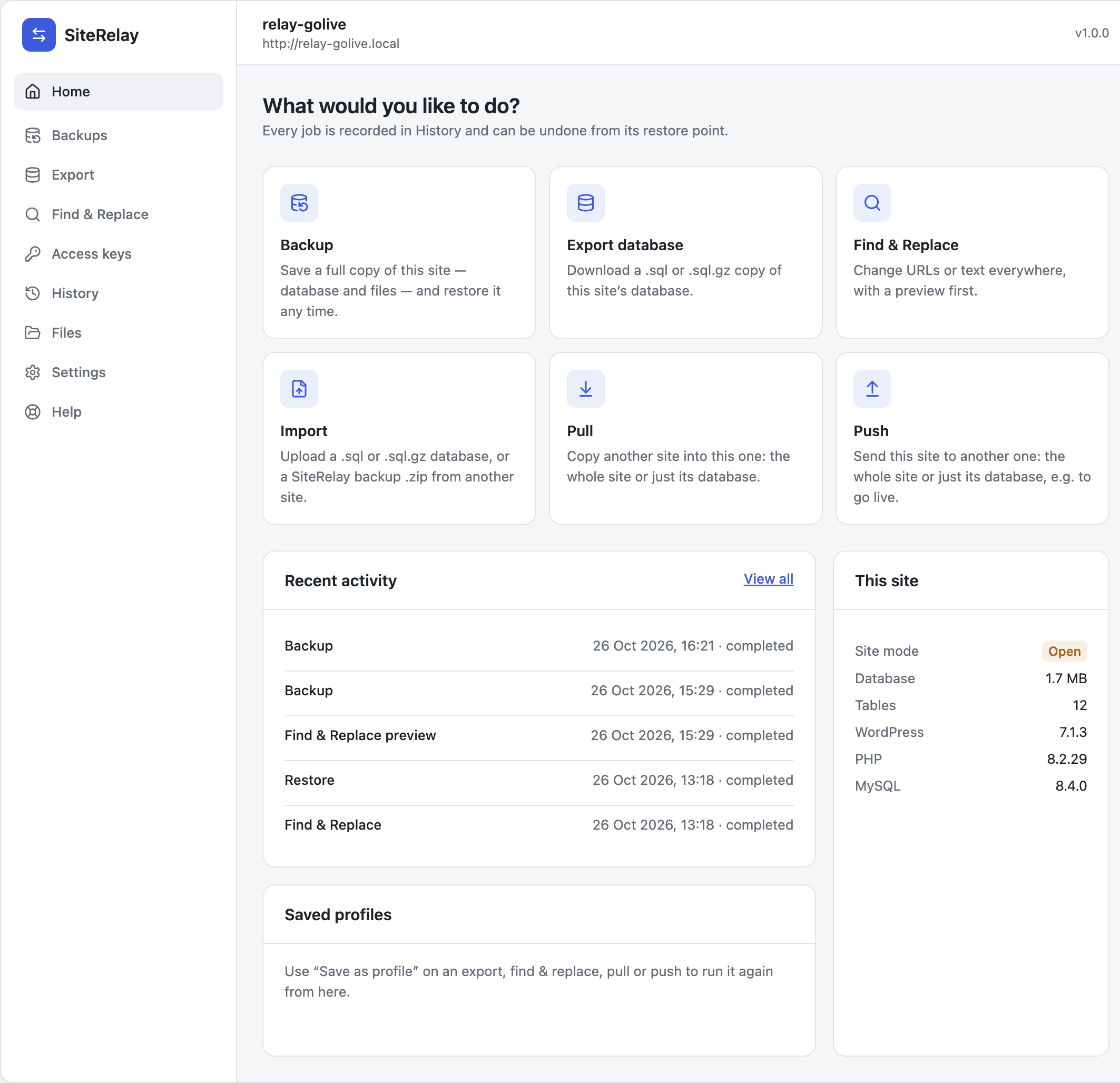
You land on SiteRelay's Home screen. Every job starts from here.
Installing from a zip? Download it from SiteRelay's page on WordPress.org, then use Plugins → Add New → Upload Plugin instead of the search.
Keep it updated
New versions come from WordPress.org. When one is out, it appears on Plugins (on a network, Network Admin → Plugins) with the usual "There is a new version of SiteRelay available" line:
- View details shows what's new.
- update now installs it.
- Enable auto-updates lets WordPress install new versions by itself.
SiteRelay needs no key, account or licence for any of this.
Coming from Relay 0.9.x
SiteRelay is Relay's new name: the same plugin, now in the WordPress.org directory. Your settings, access keys, saved connections, History and backups carry over.
- On Plugins, Deactivate Relay.
- Install and activate SiteRelay, as above.
- Delete Relay on the Plugins screen. SiteRelay keeps your data.
If you activate SiteRelay while Relay is still active, SiteRelay waits and says so: SiteRelay is the new name of Relay. Deactivate the old Relay plugin to start SiteRelay: your settings, access keys, history and backups carry over.
Sites still on Relay 0.9.x can keep pulling from and pushing to SiteRelay sites in the meantime. The GitHub key Relay used for updates isn't needed any more: SiteRelay removes it, and you can revoke it on GitHub.
More messages, and what they mean: Troubleshooting.